

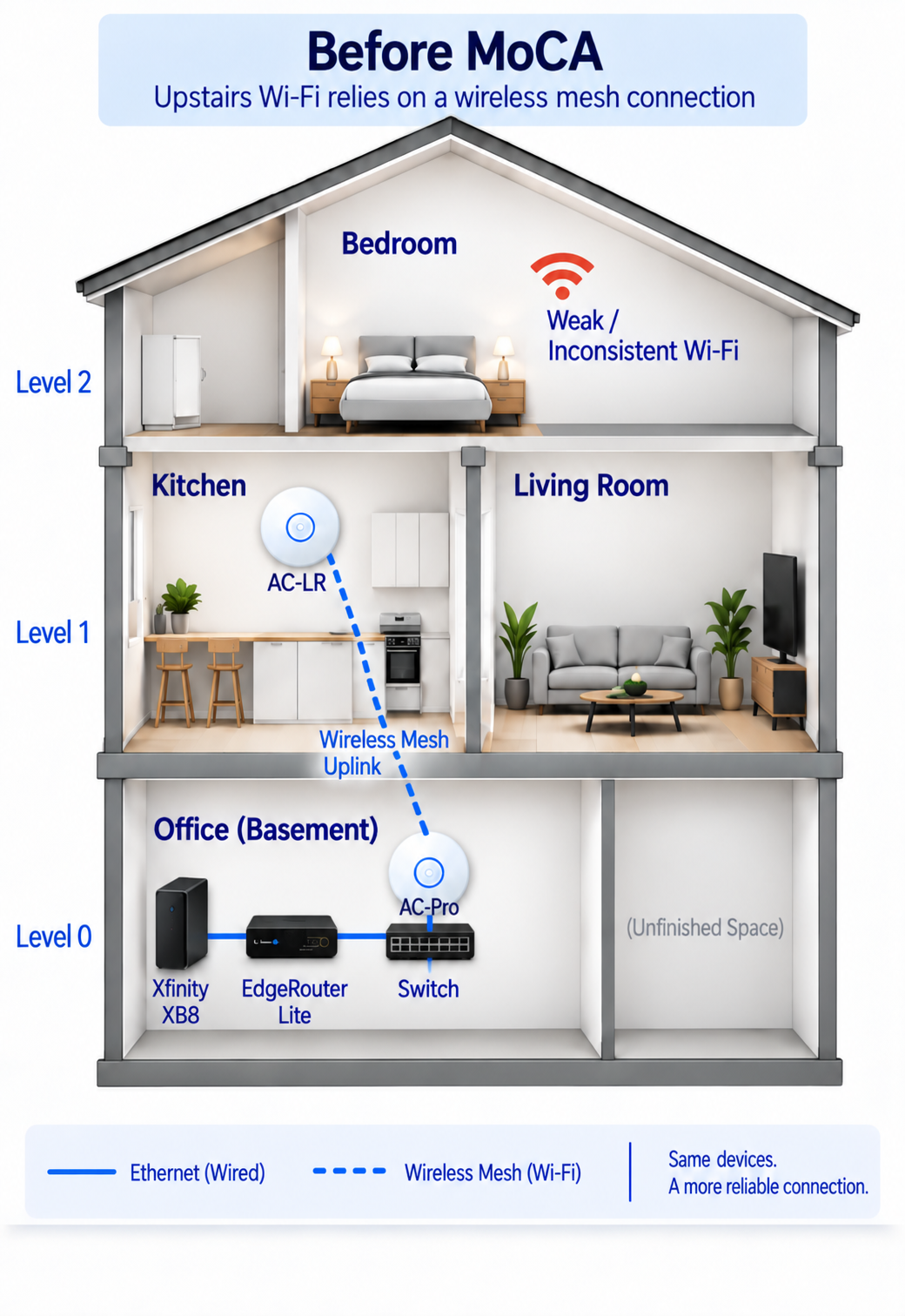
I have wanted to improve the wired backbone of my home network for quite a few years. My main network equipment is located in my basement office, where I have the modem, router, switch, wired desktops, printer and a wired UniFi access point. A second UniFi access point was on the first floor in the kitchen, but I did not have Ethernet running to that location, so it relied on wireless mesh backhaul to connect to the wired AP in the basement.
I knew fairly early that the wireless mesh connection was one of the major limitations in the setup. When I had roughly a 300 Mbps Internet plan, I could get close to that speed in some parts of the house, but performance fell considerably as I moved farther away and up to the second floor. Depending on the location, I could see around 25 Mbps and sometimes closer to 10 Mbps in weaker areas.
The bedroom on the second floor was particularly inconsistent. Watching a TV show or a sports game from the comfort of the bed could mean buffering simply because I had moved into a weaker part of the room. At times, the Wi-Fi became weak enough that my phone would switch over to cellular data instead. The bedroom is also where I usually take online certification exams because it is relatively easy to clear out and does not have additional monitors. Many remotely proctored exams require the webcam to stream continuously, so a stable connection there matters more to me than simply seeing a high number on a speed test.
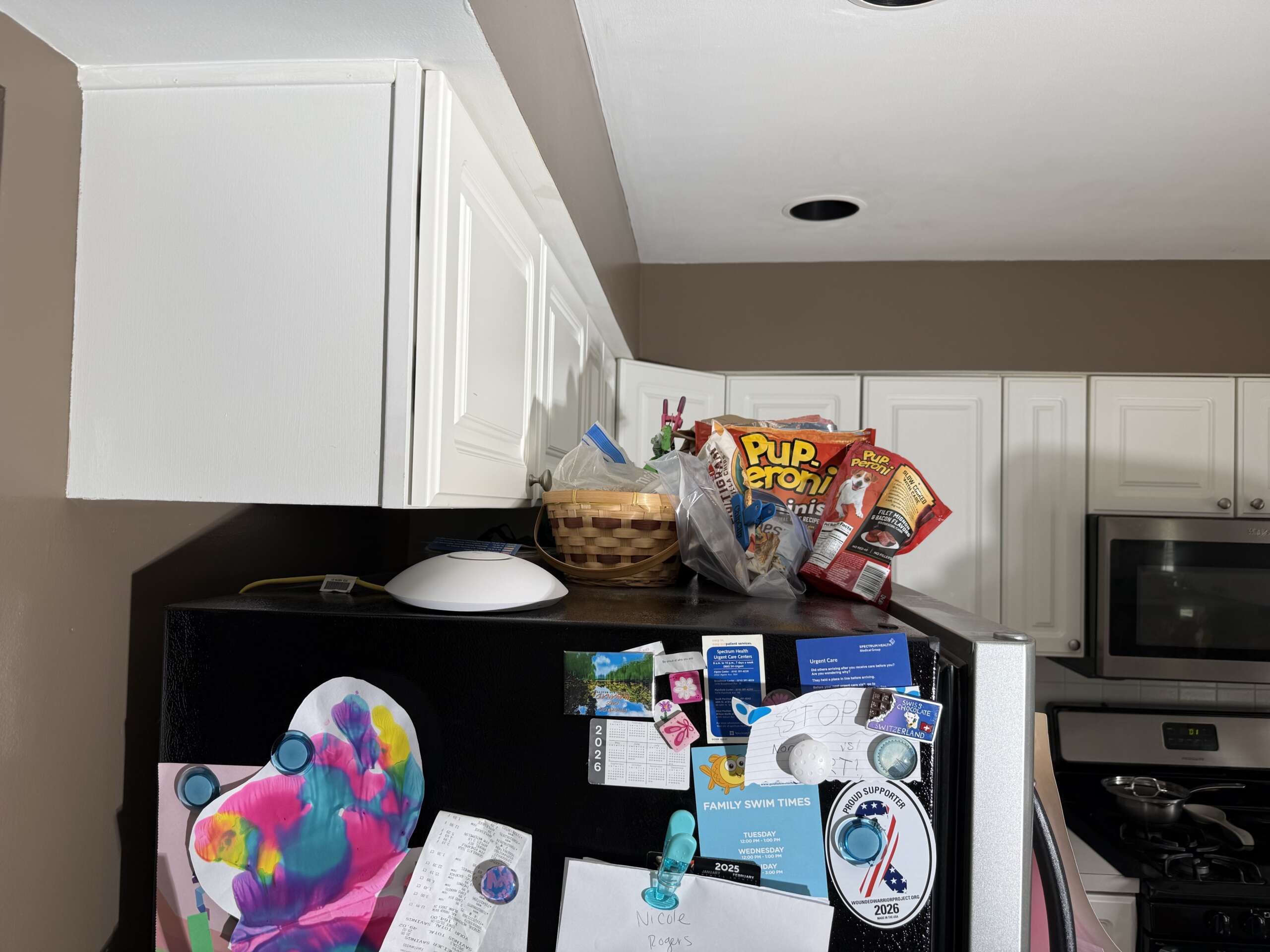
The first-floor AP was in the kitchen for a reason. It sat almost directly above my basement office, so I was trying to give the wireless mesh uplink the best possible chance of maintaining a strong connection between floors. I also kept the AP tucked above the refrigerator so it would remain relatively inconspicuous.
An Aging Network in a Multi-Gig World
There was another reason I wanted to approach the problem gradually. The Internet service coming into the house had moved forward, but much of the networking equipment I owned was from an earlier gigabit-Ethernet generation. My EdgeRouter Lite, for example, dates back to 2017. The router, switch and existing access points were still working, so replacing everything at once would have meant a fairly expensive big-bang upgrade.
My Current Network Setup
| Component | Current Setup | Notes |
|---|---|---|
| Internet | Xfinity 1 Gbps | Current service tier |
| Gateway | Xfinity XB8 | Xfinity-owned, used in bridge mode, multi-gig capable |
| Router | Ubiquiti EdgeRouter Lite | Older gigabit-Ethernet-era hardware |
| Switch | Existing Ethernet switch | Gigabit Ethernet |
| Basement AP | UniFi UAP-AC-PRO | Wired, located in basement office |
| First-floor AP | UniFi UAP-AC-LR | Originally in kitchen using wireless mesh backhaul |
Rather than replace all of the owned networking equipment at once, I wanted to modernize the network gradually and go after the obvious bottlenecks first. Running Ethernet between floors would still have been my preferred technical solution, but I was not comfortable fishing cable through finished walls, drilling between levels and figuring out the correct routes through the house. Hiring someone was certainly possible, but professional visits and cable runs can become expensive quickly when the longer-term goal is to provide wired connectivity on multiple floors.
I also researched powerline networking because it offered another way to use wiring that was already inside the house, but I never ended up buying powerline adapters. When I upgraded my Internet connection to 1 Gbps, the gap between the service coming into the house and the wireless mesh backhaul became even harder to justify. I wanted to fix the low-hanging bottlenecks first, but I also wanted each upgrade to remain useful as the rest of the network eventually moved toward multi-gig capability.
Why MoCA Made Sense
MoCA, or Multimedia over Coax Alliance, technology allows Ethernet network traffic to travel over the coaxial cable already installed inside a house. My house already had coax outlets on different floors, including locations close to where I wanted better connectivity, so this immediately looked promising.
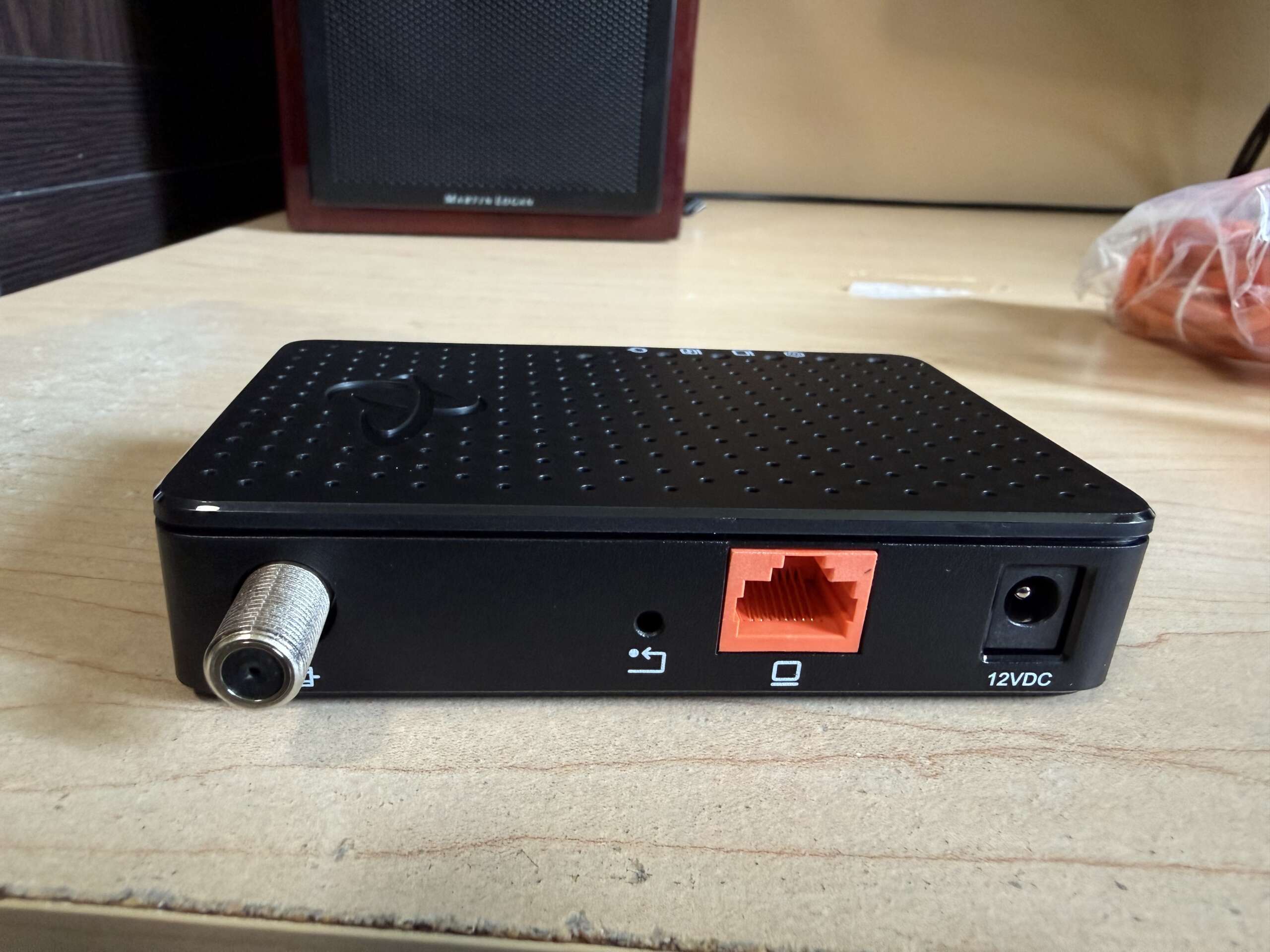
The Hitron HTEM5 adapters I chose support MoCA 2.5 and include a 2.5 GbE Ethernet interface. Hitron specifies up to 2.5 Gbps MoCA-to-MoCA throughput for the HTEM5, although actual end-to-end performance is still limited by the rest of the network and the quality of the coax path. The important part for my project was that the MoCA backbone would not become useless when I later upgraded the router, switch or access points.
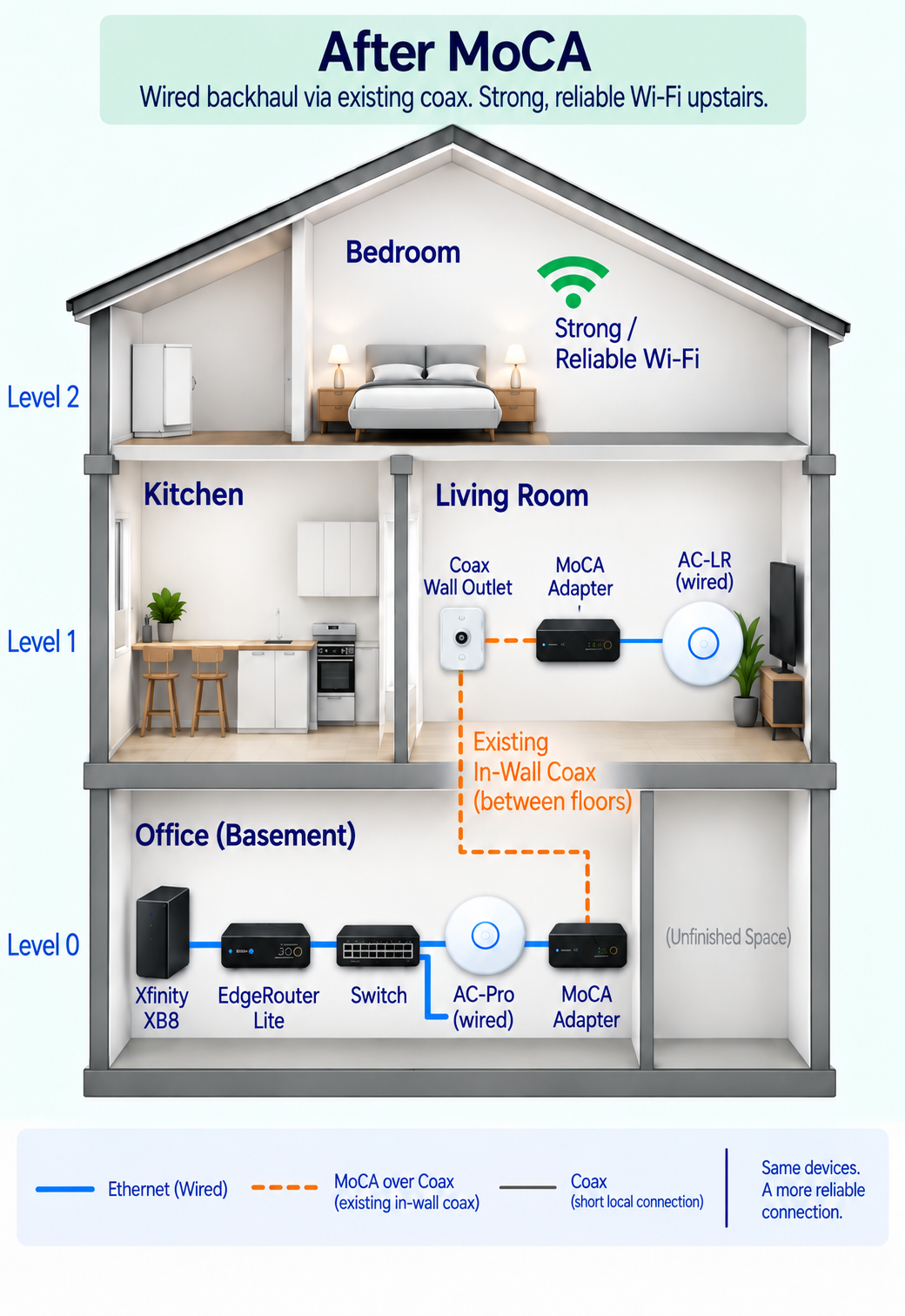
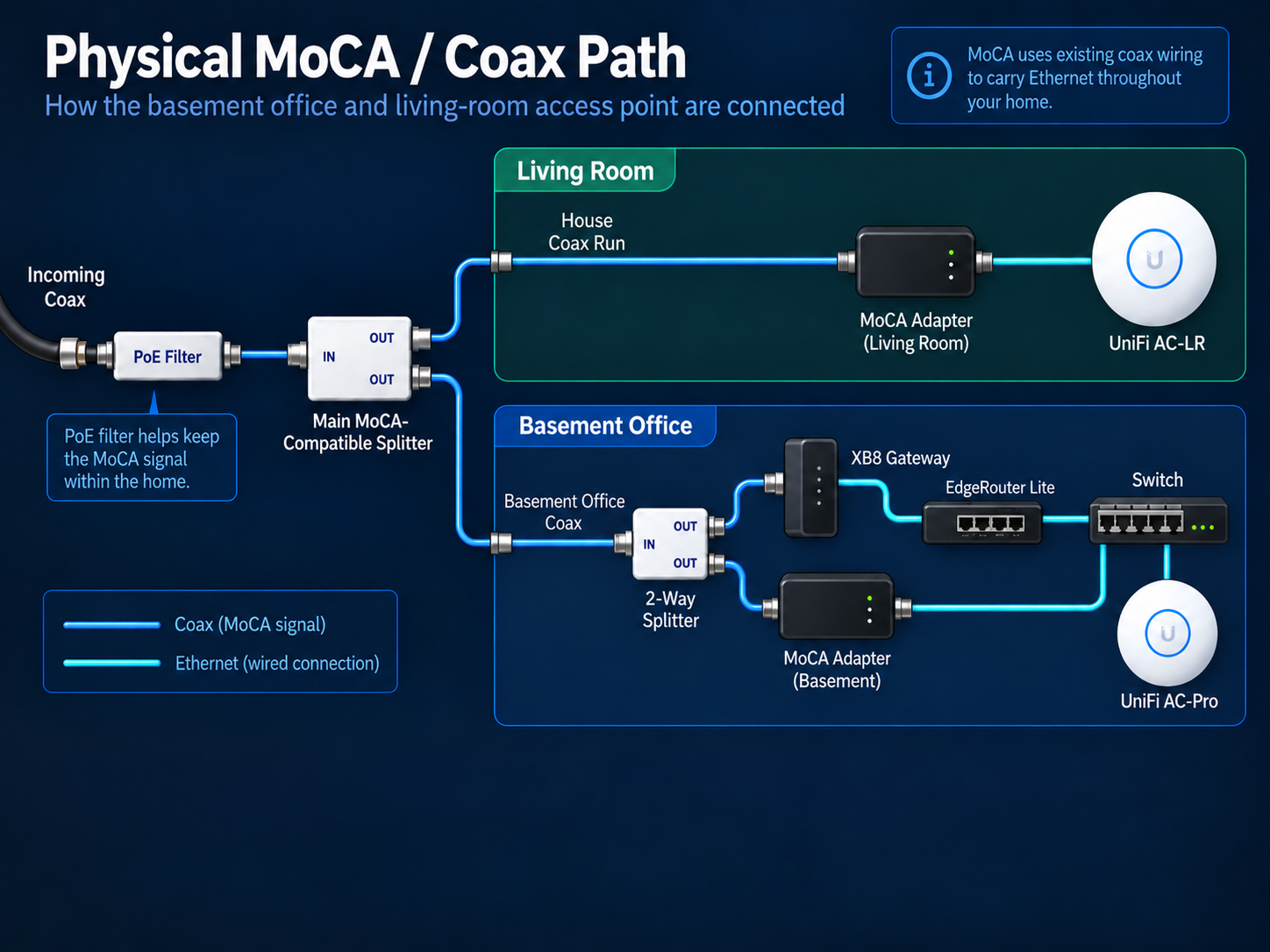
In simple terms, my basement switch would send normal Ethernet traffic to the first MoCA adapter. That adapter would carry the network connection over the home’s coax wiring to a second adapter in the living room, where it would be converted back to Ethernet for the first-floor access point.
Network path: Router → Switch → Ethernet → MoCA adapter → house coax → MoCA adapter → Ethernet → access point
What I Bought
Before ordering anything, I wanted to make sure the living-room coax outlet was actually connected to the rest of the house. I temporarily moved the Xfinity XB8 from the basement office to the living room, connected it to that coax outlet and confirmed that I could get Internet service. That simple test reduced some of the risk before I spent money on the MoCA hardware.
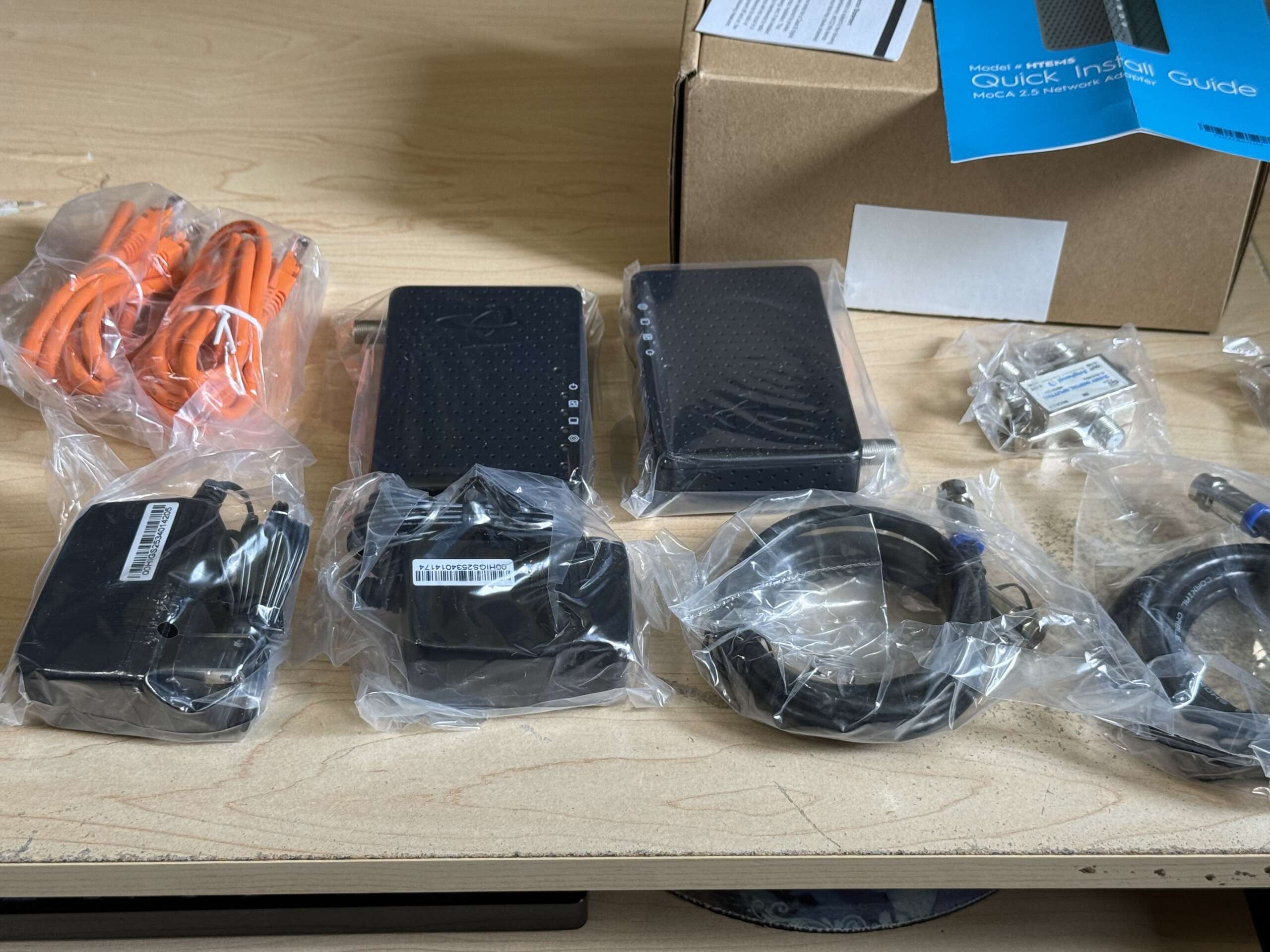
For the project, I bought a pair of Hitron HTEM5 MoCA 2.5 adapters, a MoCA-compatible multi-port splitter for the main coax distribution point, a MoCA-compatible two-way splitter for the basement office, and a Point-of-Entry MoCA filter. The complete order was approximately $165.
For me, that cost was easier to justify because the installation was not intended to be temporary. Even as I modernize the rest of the network, the coax backbone should continue to be useful.
Installation
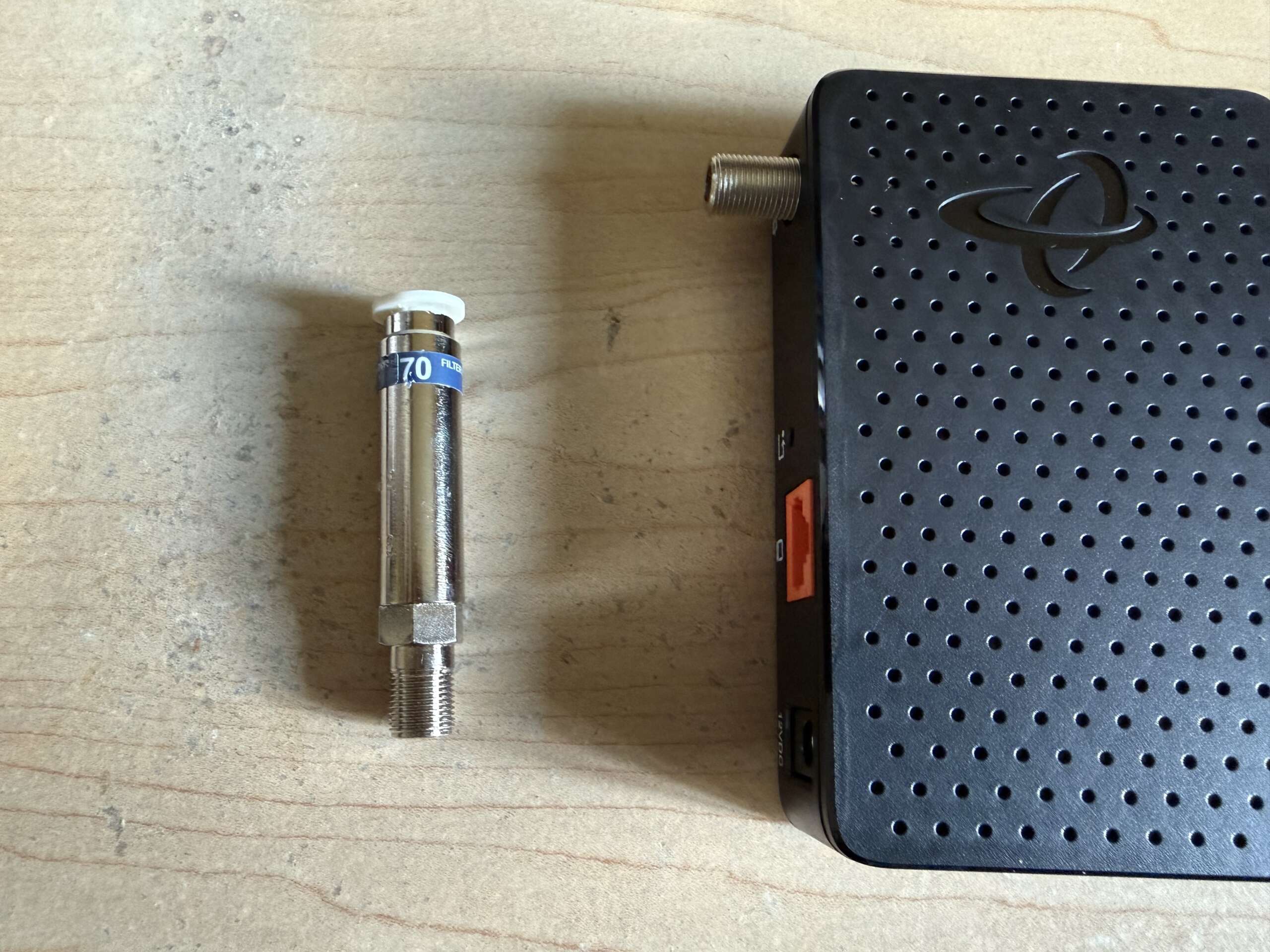
The main coax distribution point for the house is in an unfinished part of the basement next to my office. The original splitter had several active coax runs going to different rooms, along with an unused port that was already terminated. I replaced it with a MoCA-compatible splitter and installed the Point-of-Entry filter on the incoming coax line before it entered the splitter.
The PoE filter helps keep the MoCA signal inside the home instead of allowing it to travel back onto the cable provider’s outside network. MoCA Alliance installation guidance also notes that the filter reflects MoCA energy back into the home network, which can improve connectivity. I left the unused splitter port terminated as well, which is generally good practice for unused coax ports.

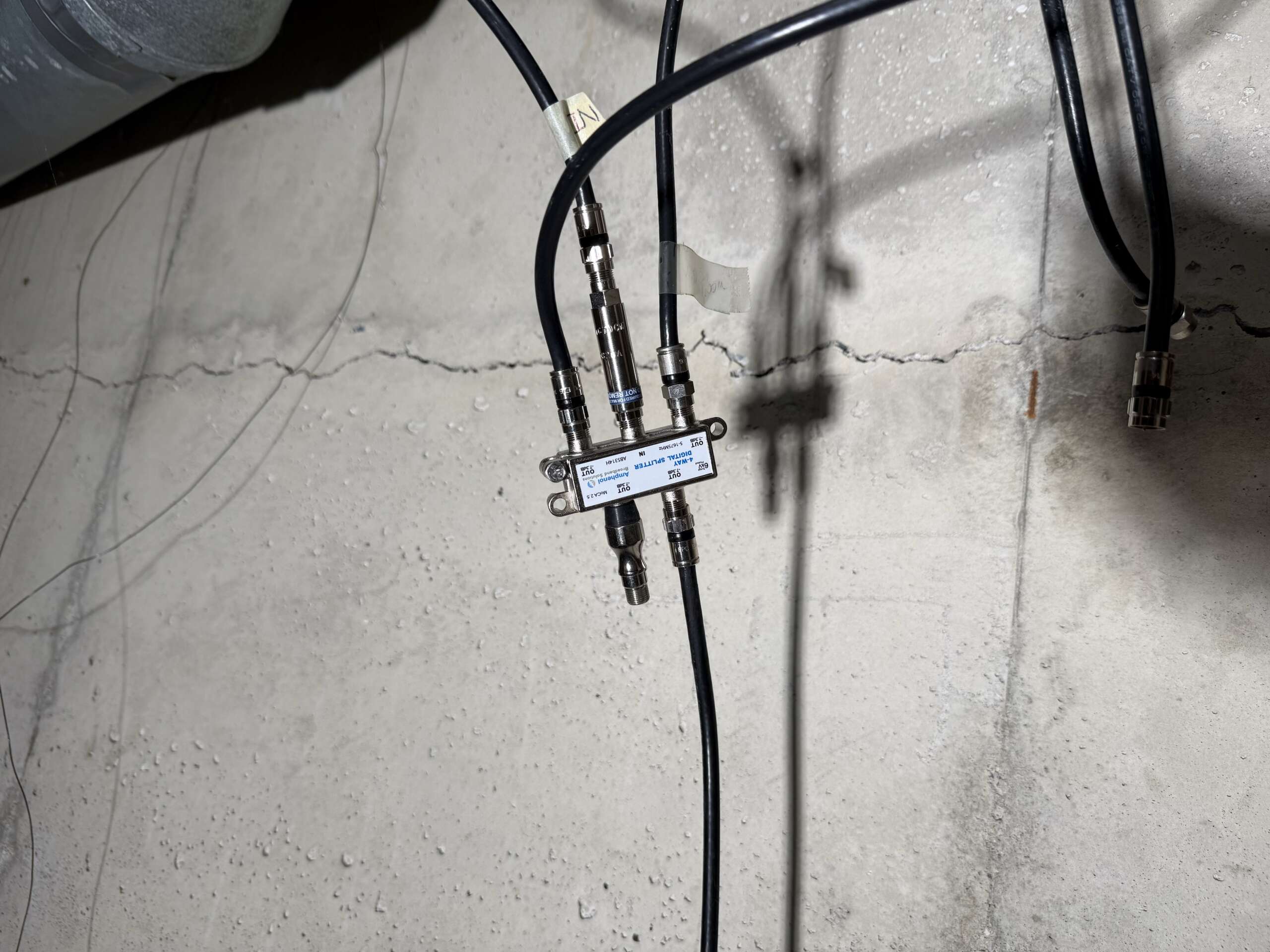
The hardest part of the splitter replacement had nothing to do with networking. Some of the old coax connectors were extremely tight after sitting untouched for years, and I could not comfortably loosen them by hand. A small wrench made the job considerably easier. If you are working with older coax connections, having a wrench or adjustable wrench nearby may save some frustration.
In the basement office, the coax connection already served the XB8, so I added a two-way MoCA-compatible splitter. One output continued to the XB8 while the other connected to the first Hitron adapter. My network switch provided Ethernet to that adapter using Cat6. On the first floor, the second adapter connected to the living-room coax outlet and converted the network connection back to Ethernet.
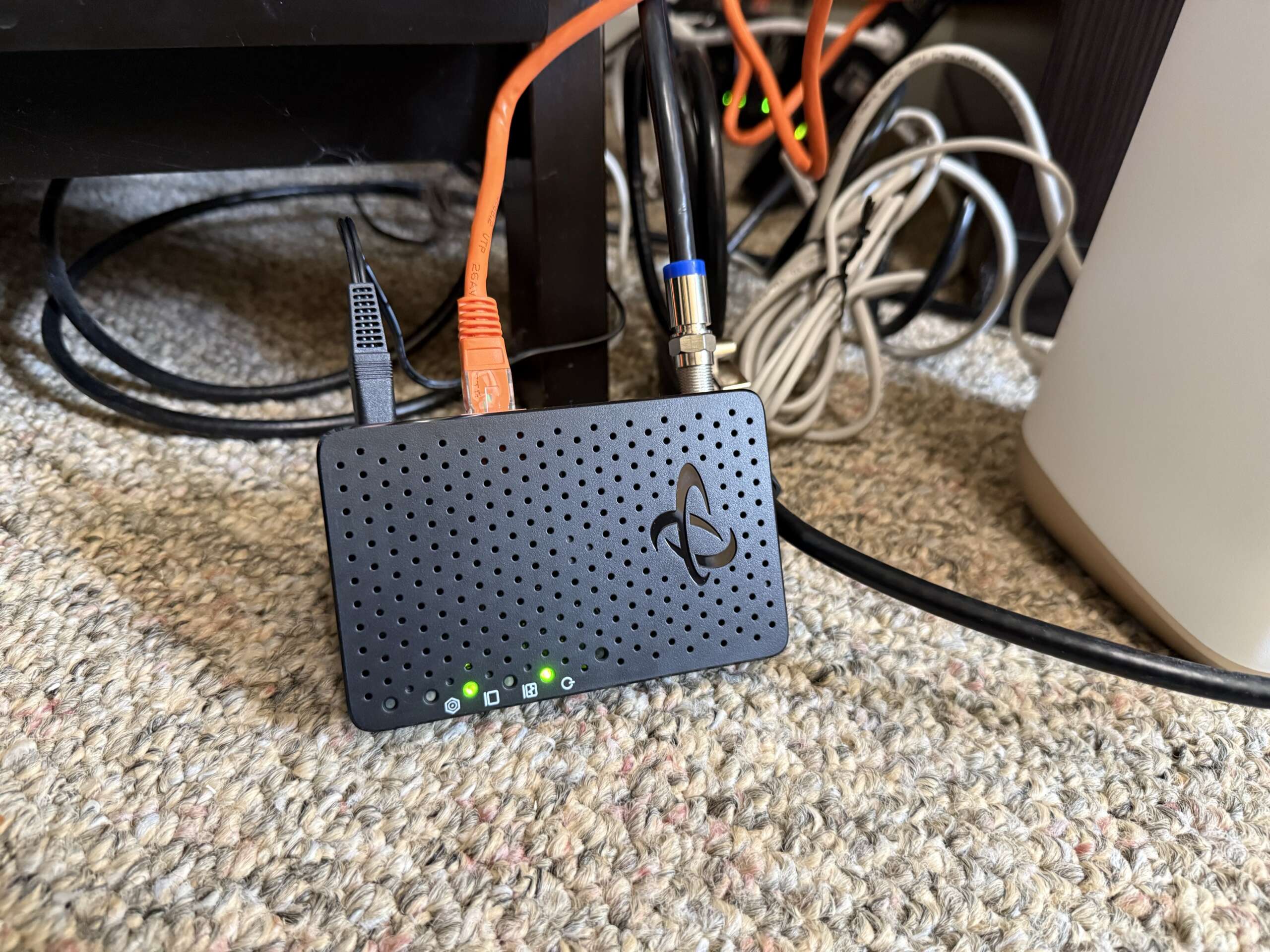
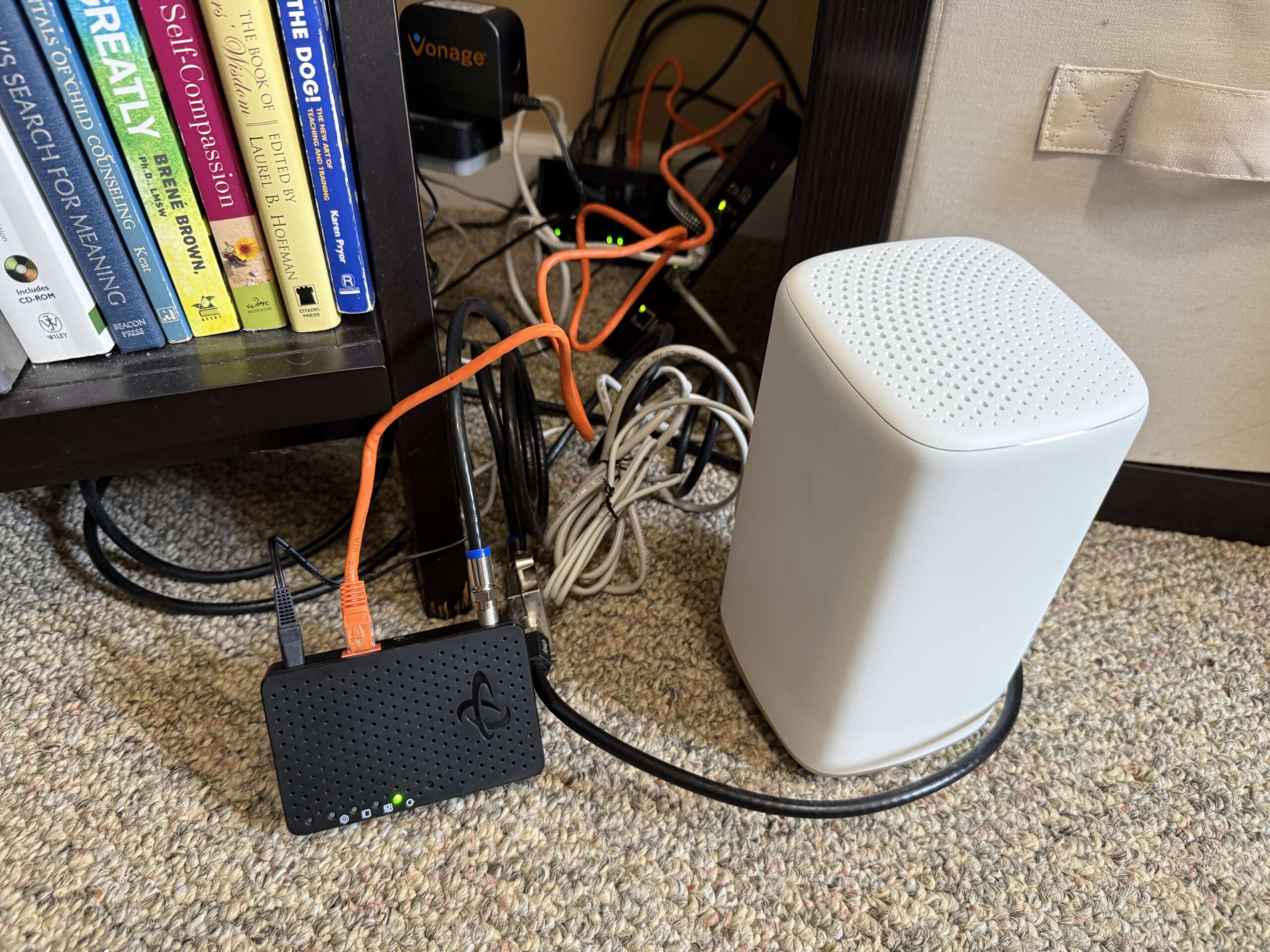
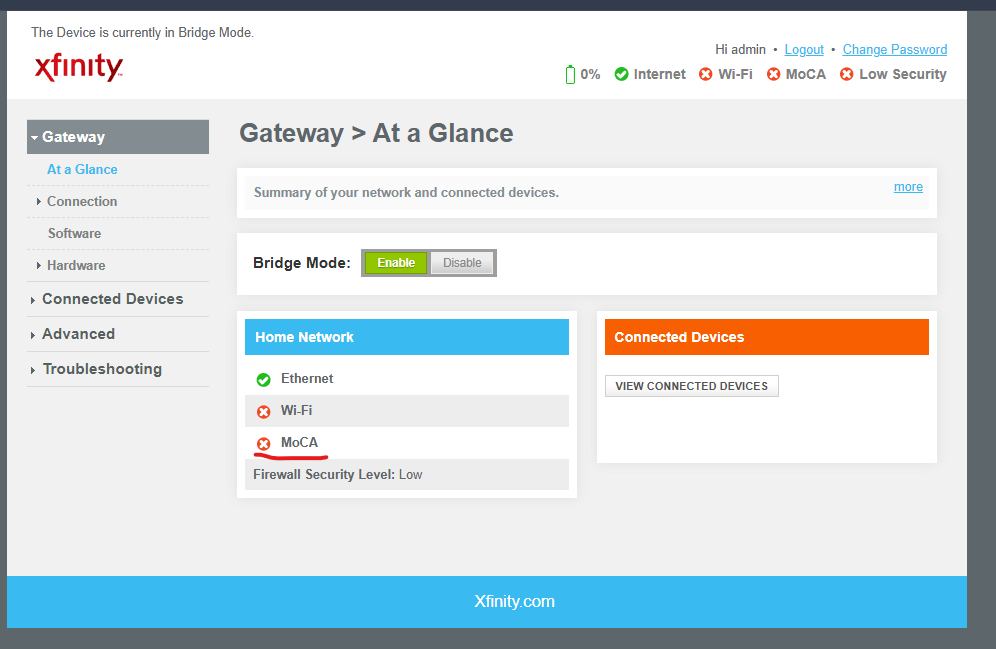
I also checked the MoCA setting on the XB8 because the gateway has its own MoCA capability. In my case, it was already disabled, so there was nothing I needed to change. Once both Hitron adapters were connected, they established a link almost immediately. I had expected some troubleshooting or pairing work, but the basic MoCA connection simply worked.
The Wired MoCA Test: 941 Mbps
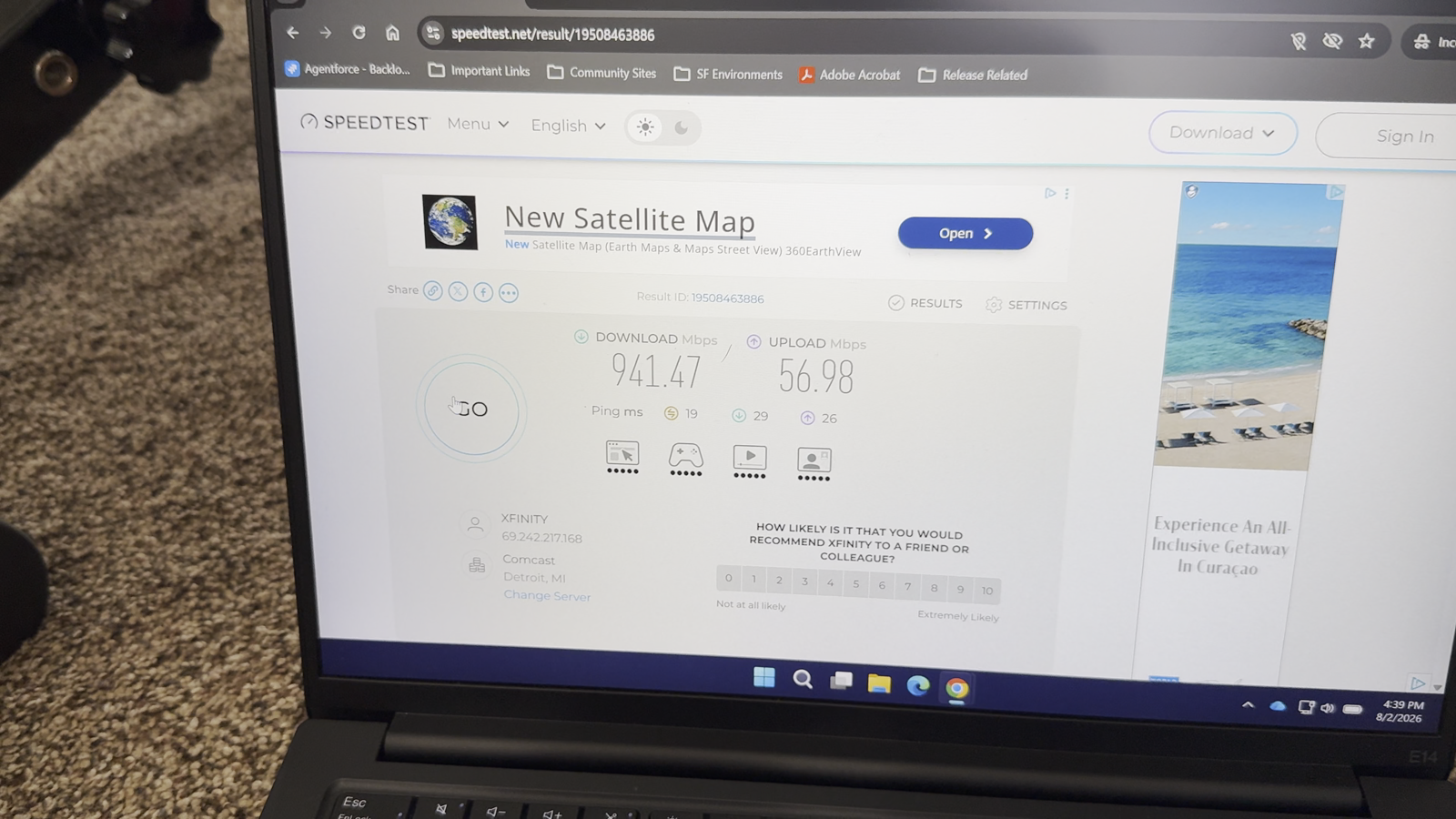
Before connecting the access point, I plugged a computer directly into the Ethernet port on the living-room MoCA adapter and ran a speed test. The result was approximately 941 Mbps download, 57 Mbps upload and 19 ms ping.
That was the clearest confirmation that the project had achieved what I wanted. I now had near-gigabit wired Internet available in the living room through the existing coax wiring, without running a new Ethernet cable between floors. It also gave me a useful baseline. If Wi-Fi speeds were lower after connecting the AP, I knew the MoCA backbone itself was not the primary limitation.
Moving the AP From the Kitchen to the Living Room
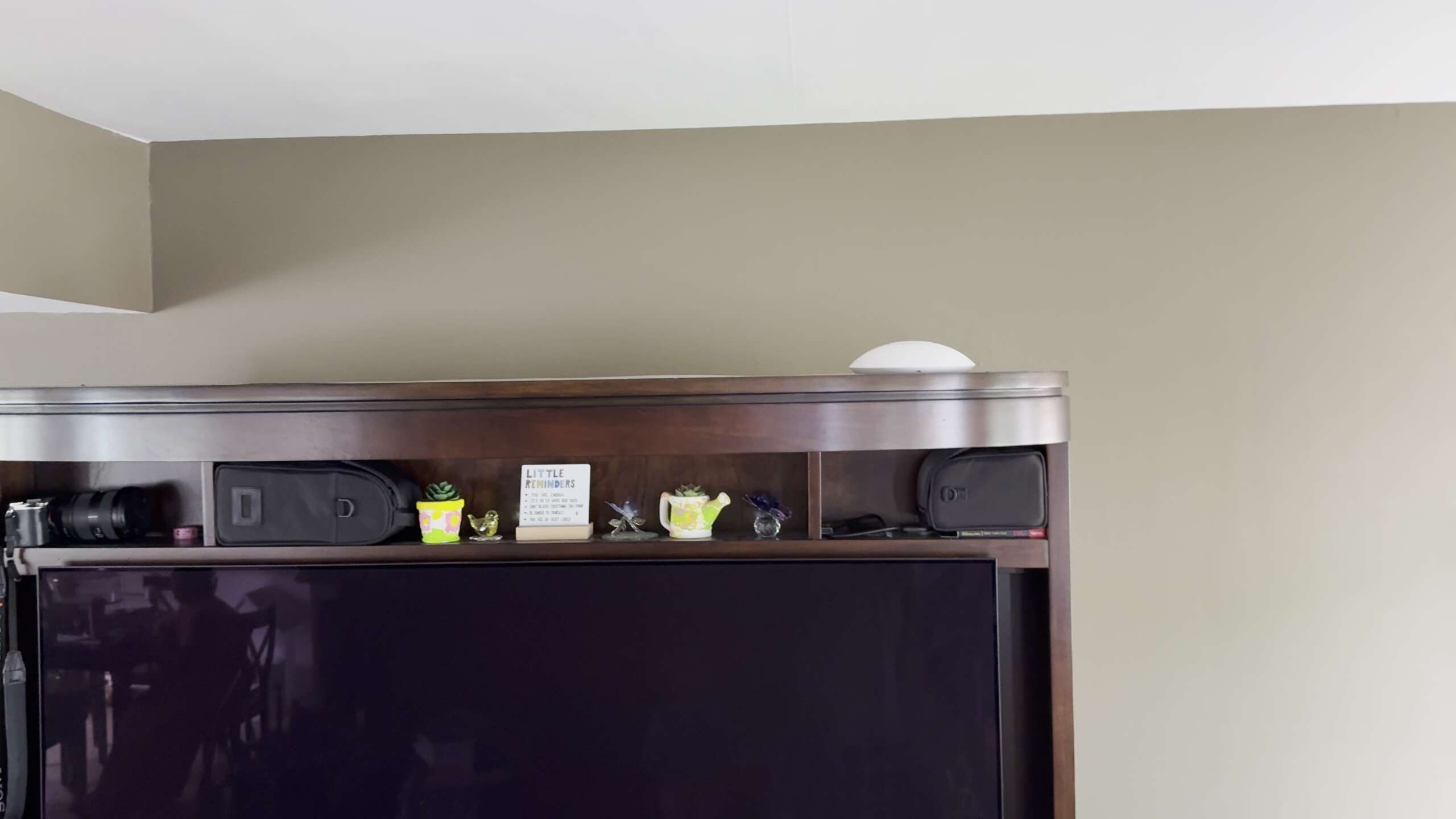
With the MoCA connection working, I moved the existing UniFi AC-LR from its old position above the refrigerator in the kitchen to the top of the entertainment center in the living room. That placed the AP close to the active coax outlet and allowed me to connect it directly to the MoCA adapter over Ethernet.
The physical move was small, but the network change was much more significant. The first-floor AP no longer depended on the basement AC-Pro for a wireless mesh uplink. It now had a wired path back to the network switch through MoCA. UniFi recognized the AP as wired, and I reviewed the mesh configuration afterward so the AP no longer needed wireless meshing for its uplink.
Results
I ran speed tests in several of the areas I had been testing before the upgrade. These are real-world measurements rather than controlled laboratory benchmarks, so device placement, Wi-Fi conditions and the exact testing location can affect the results. The bedroom in particular could vary considerably depending on where I was in the room.
| Location | Before MoCA | After MoCA |
|---|---|---|
| Kitchen / near living room | 93.9 Mbps | 333 Mbps |
| Bedroom | 94.4 Mbps* | 296 Mbps |
| Living room | — | 518 Mbps |
| Direct wired MoCA test | — | 941 Mbps |
*The bedroom was inconsistent before the upgrade and could perform considerably worse near the bed than the captured 94 Mbps baseline test.
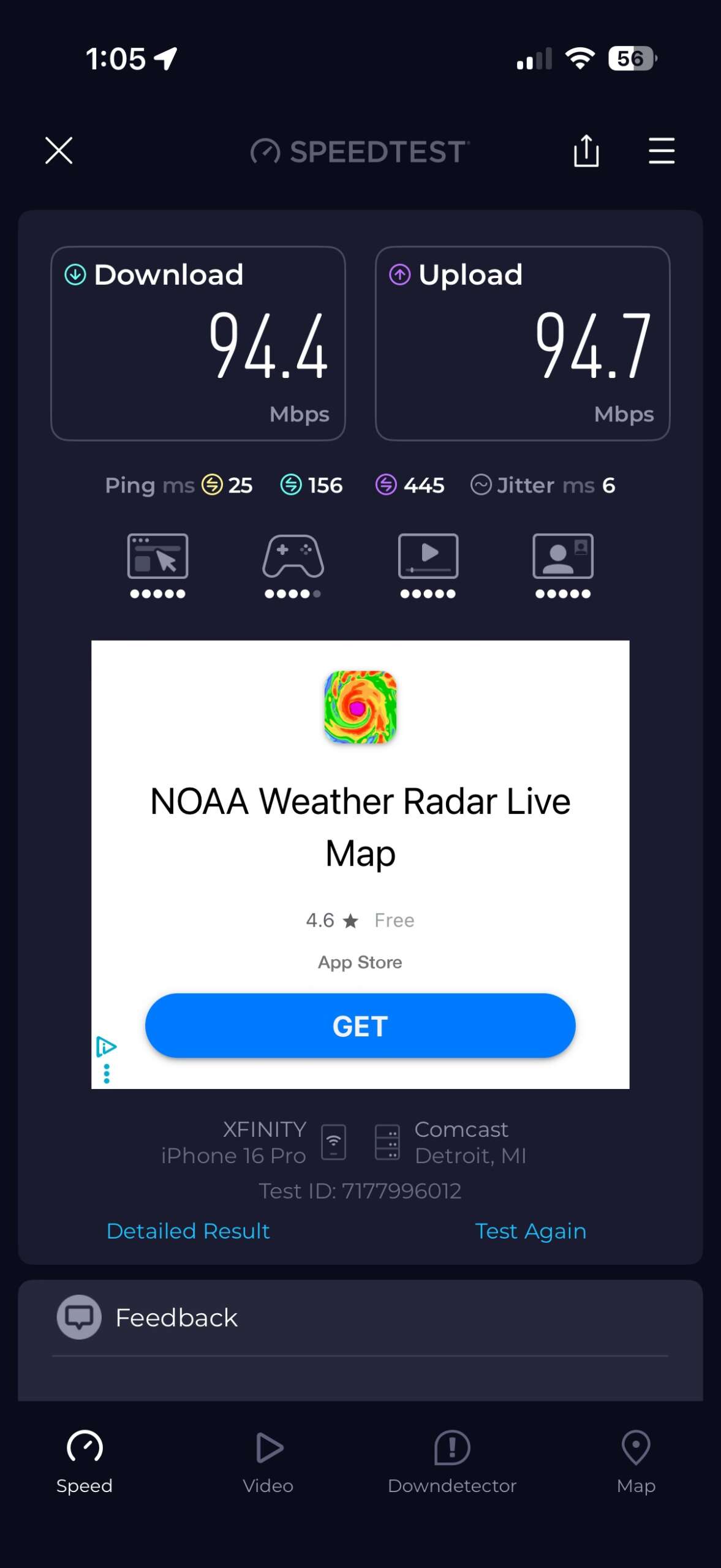
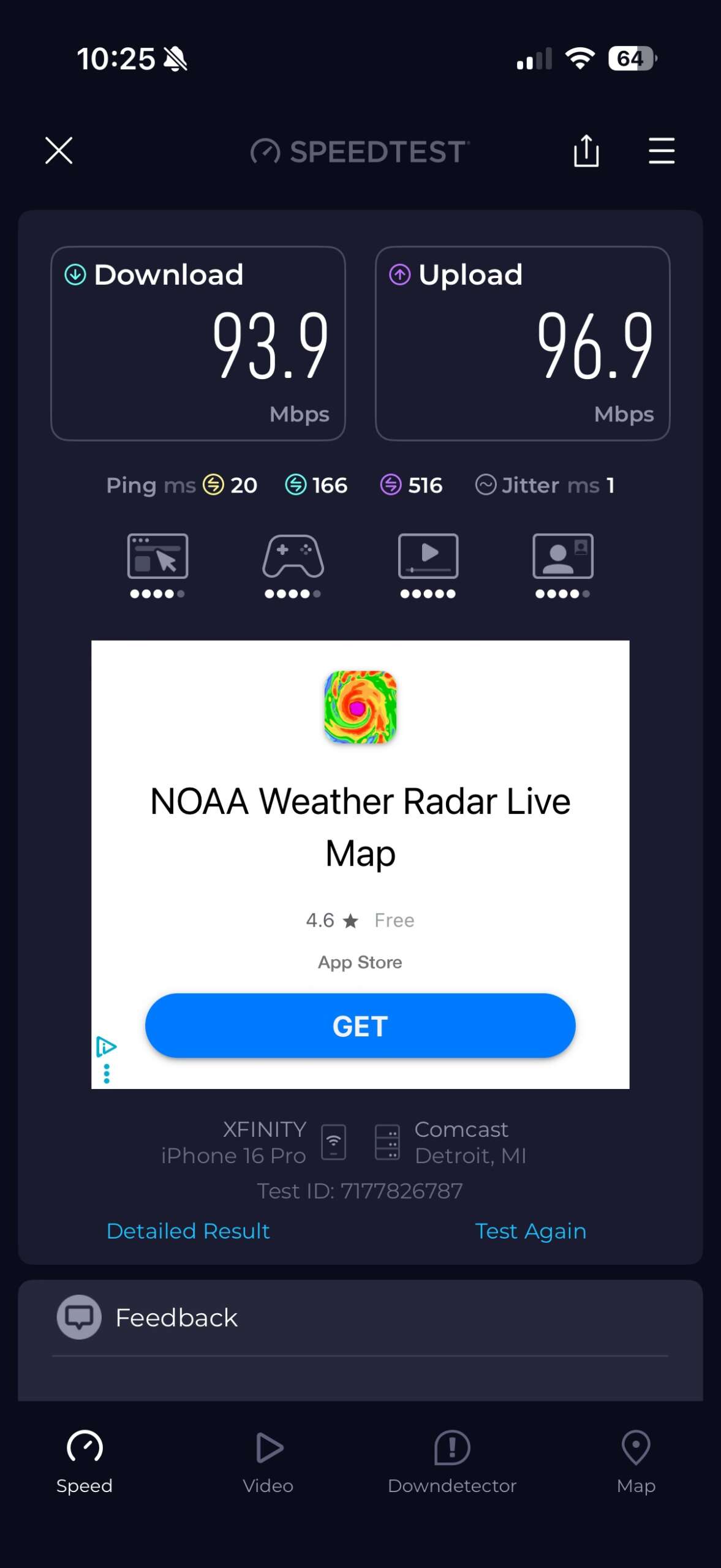
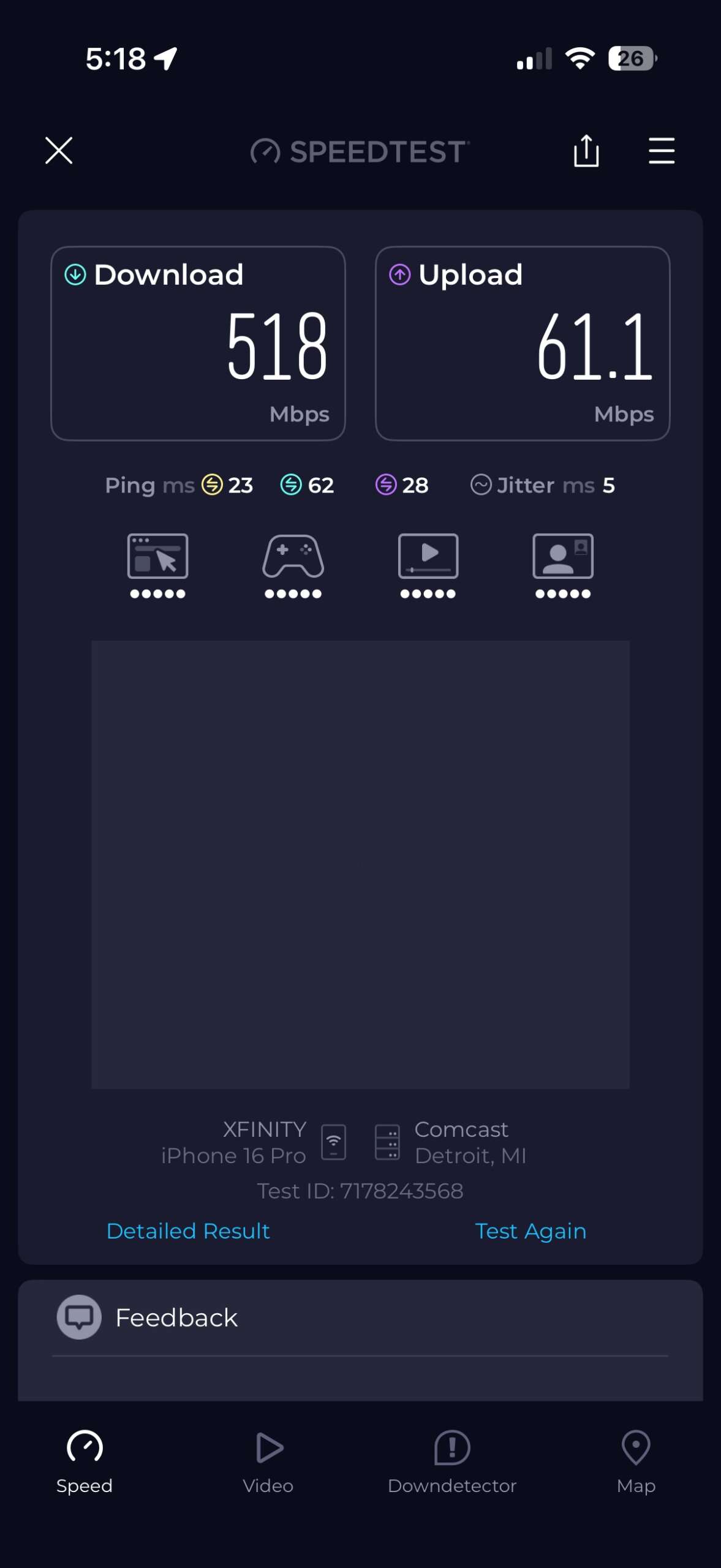
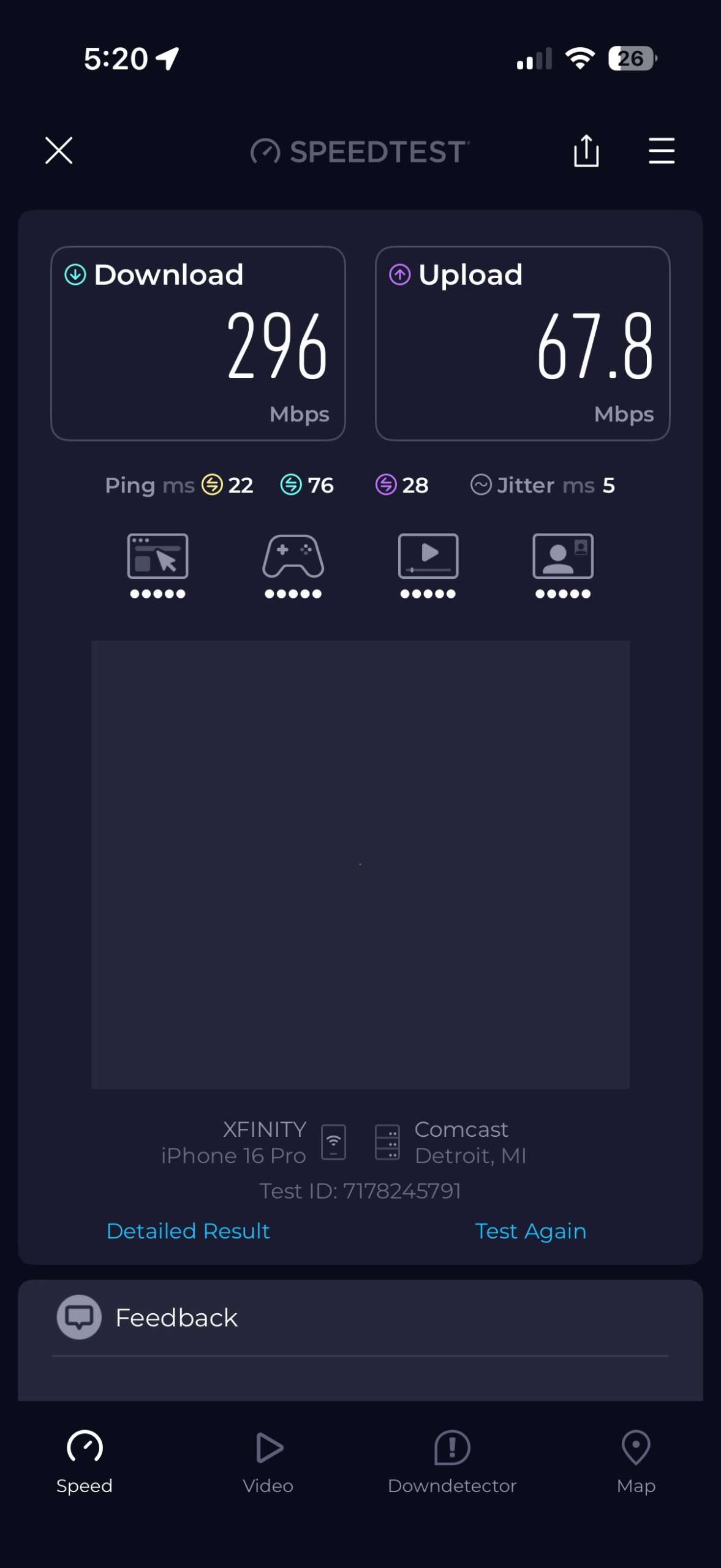
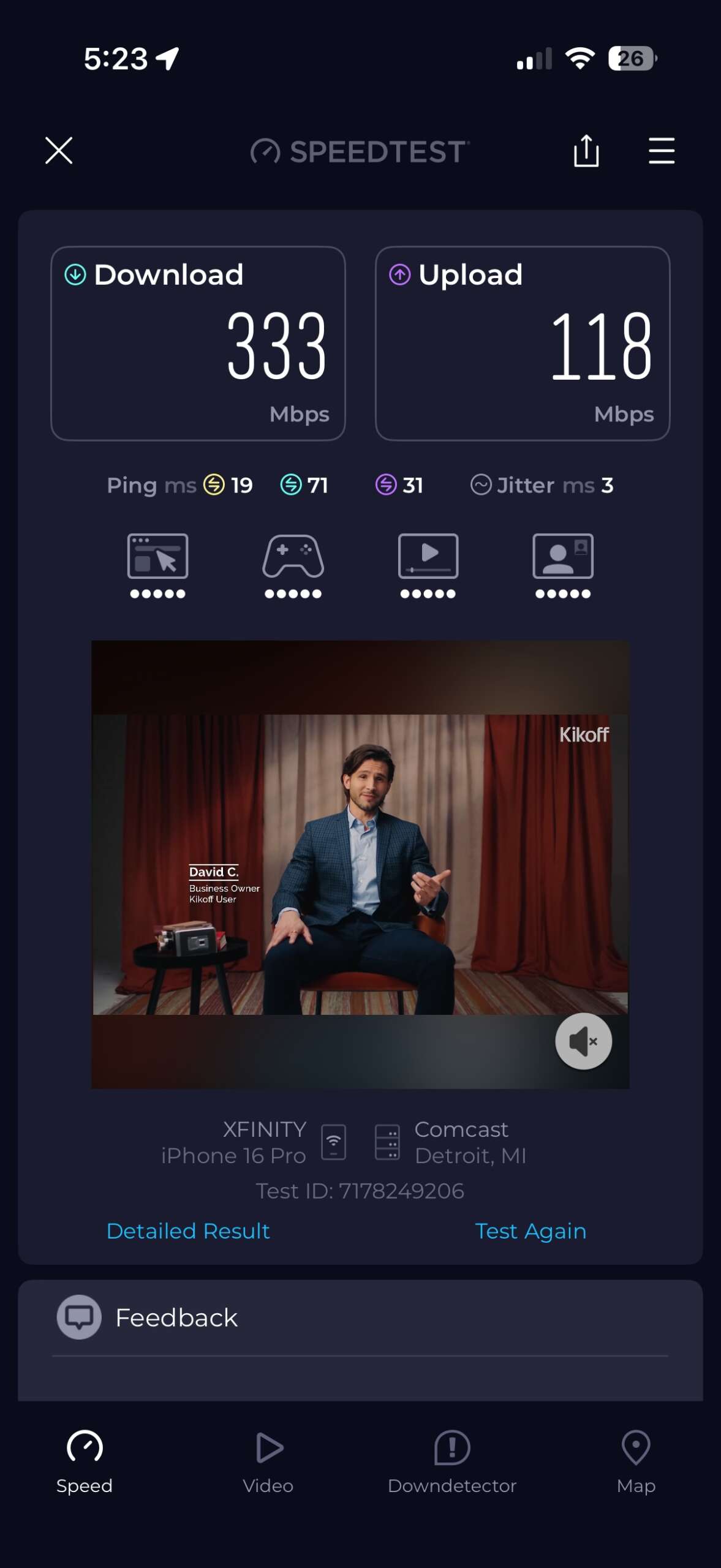
The wired 941 Mbps result showed that the coax backbone was doing its job. Once the AP was connected, living-room Wi-Fi reached 518 Mbps, while the kitchen and bedroom also improved substantially compared with the representative baseline tests. The raw numbers were good, but the practical improvement in reliability has mattered more to me.
More Important Than the Speed Test: Reliability
It has now been more than a month since I installed the MoCA adapters, and the setup has been remarkably stable. I have not had to restart or reset either Hitron adapter, and I have not noticed any unexplained MoCA-related drops.
More importantly, the improvement has held up during the situations that originally bothered me. I have taken a remotely proctored certification exam from the bedroom with the webcam streaming throughout the session without any connection problems. Watching TV shows or sports from bed has also been trouble-free so far, without the buffering I used to experience or my phone abandoning Wi-Fi and switching to cellular because the signal became too weak.
For me, that is a more meaningful measure of the upgrade than whether one speed test shows 296 Mbps or 333 Mbps. The bedroom connection has become dependable enough that I no longer think about it while I am using it.
Was MoCA Worth It?
For my house, absolutely. If someone has a similar problem where Ethernet would be ideal but running new cable is difficult or expensive, and usable coax is already available, I think MoCA is an option worth seriously considering.
In my case, it removed the wireless backhaul bottleneck without requiring a major construction project or a full network replacement. For approximately $165 in hardware, I was able to turn coax that was already in the house into useful network infrastructure. Just as importantly, I do not consider it a throwaway installation. The MoCA backbone should continue to be useful as I upgrade the router, switch and access points over time.
I can only speak to the hardware I actually installed, but the Hitron HTEM5 adapters have also been very stable in my setup so far.
What Comes Next?
The MoCA project solved the first bottleneck I wanted to address, but it also gives me a better foundation for the next stages of the network upgrade. I already have a coax outlet on the second floor in the bedroom, so I eventually plan to add another MoCA adapter there. My current thinking is to replace the AC-LR in the living room with a newer Wi-Fi 7 access point and move the existing AC-LR upstairs. That would potentially give me wired backhaul on all three levels of the house without having to run Ethernet between floors.
The router and switch will eventually need their turn as well. My EdgeRouter Lite has been in the network since 2017, and much of the owned infrastructure is still based around gigabit Ethernet. Moving to a newer gateway/router, multi-gig switch and Wi-Fi 7 access point would be the next stage of modernization.
The good part is that I do not have to do all of it at once, and the work from this project should not have to be thrown away. For now, the question of whether MoCA could solve my wired-backhaul problem has been answered. The next question is what happens when I start replacing the older networking hardware around it.
